llama.cpp on Android: Offline AI Summarizer Benchmarks
Build an offline Android summarizer with llama.cpp, Kotlin, and Qwen2.5 0.5B: the JNI setup, Galaxy S22 Ultra benchmarks, and where the summaries went wrong.
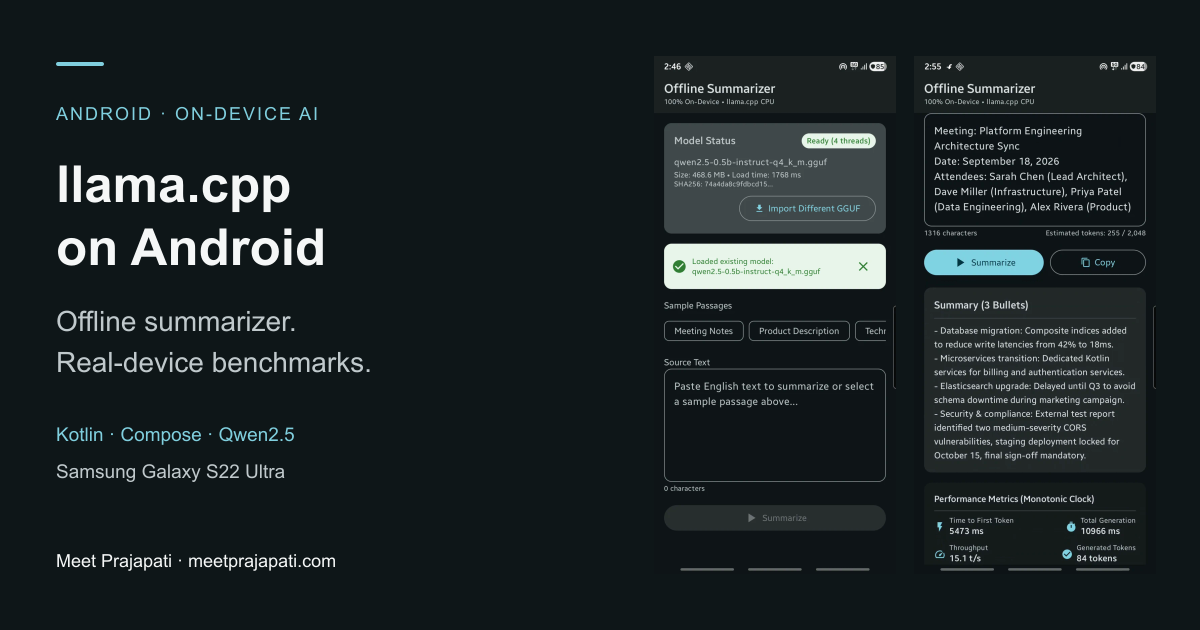
Can a phone summarize text with no cloud API at all? To find out, I built Offline Summarizer, a small Android app that runs a quantized Qwen2.5 0.5B model through llama.cpp, with Kotlin and Jetpack Compose on top.
TL;DR: On a Samsung Galaxy S22 Ultra, the first words appear in about 3.8 seconds and a full summary takes about 7.8 seconds, running only on the CPU. That's fast enough to use. Accuracy is the weak spot: the model sometimes changed facts and often ignored the bullet count I asked for.
This post covers how the app is wired together, the Android build settings that tripped me up, the benchmark numbers, and the summary mistakes worth knowing about before you ship something like this.
What the app does
The flow is intentionally simple:
- Import a GGUF model with the Android file picker. The app copies it into private storage.
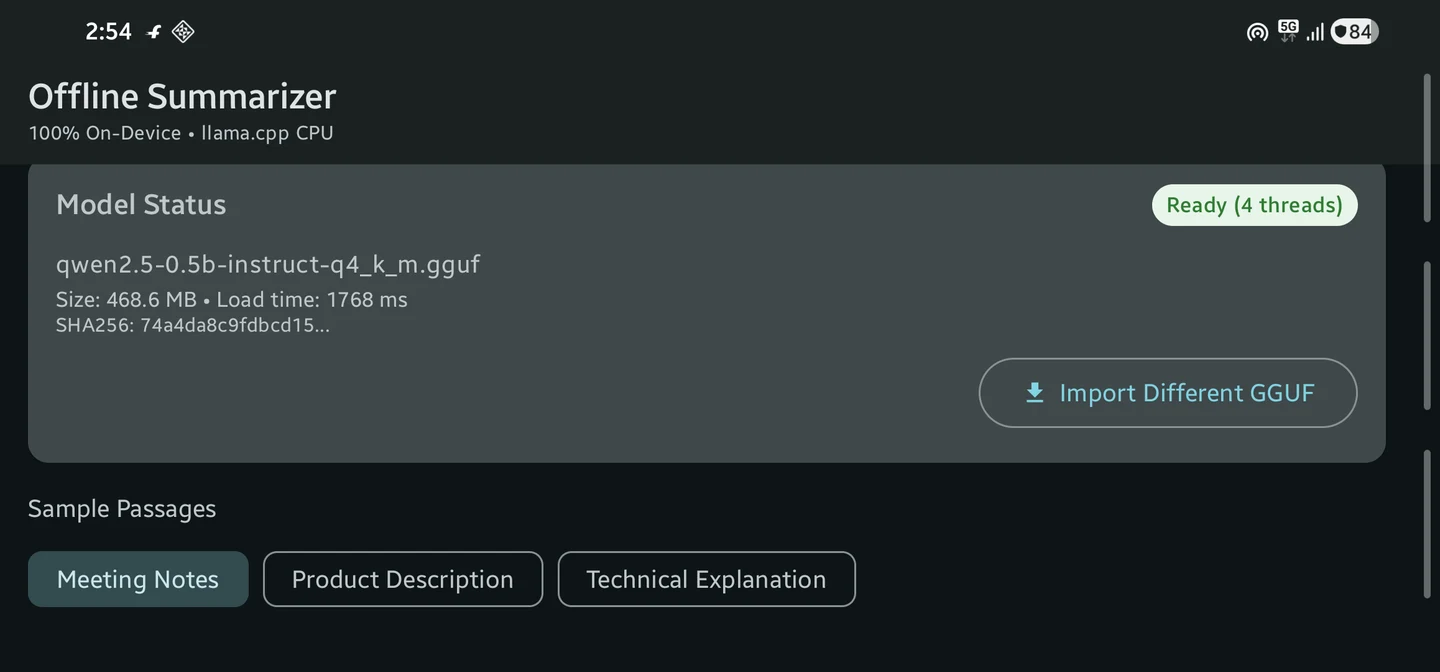
- Paste text or pick a sample (meeting notes, a product description, or a technical explanation).
- Tap Summarize. The summary streams in as it's generated. You can stop it midway or copy the result.
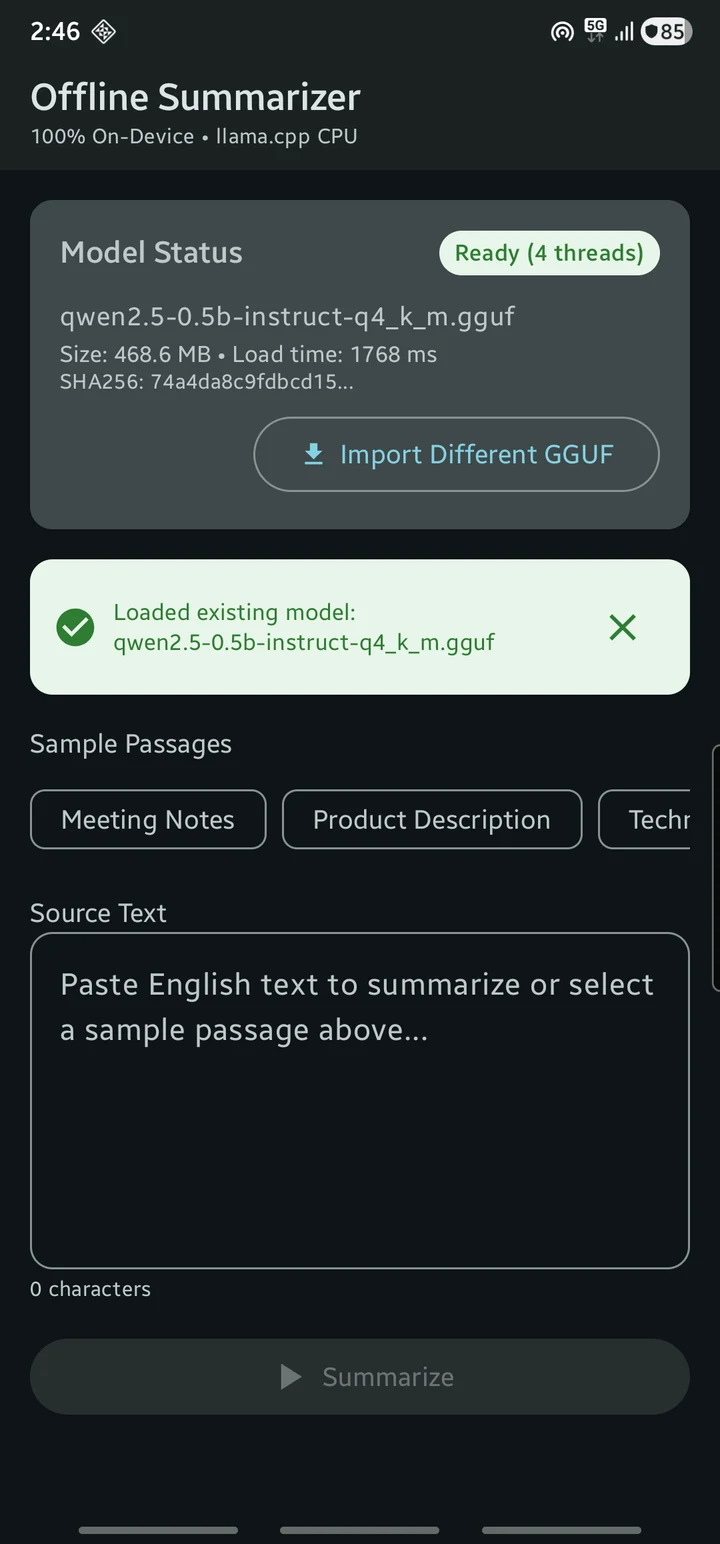
The app doesn't request the INTERNET permission at all. Once the model file is on the phone, everything runs locally. You still need to download the model once, from a browser or your computer.
Running locally doesn't make an app private on its own, though. You still have to be careful about what you log and how you store user text and model files.
Here's a 26-second screen recording of the app. That run was slower than my benchmark runs (5.5 s to first output, 11 s total), so I've kept it out of the results table below.
Why llama.cpp and Qwen2.5?
I picked llama.cpp because it loads GGUF model files directly and gives me full control over the native layer. The project ships an Android example with a Kotlin binding, which I adapted for this app. The official Android guide is the place to start, but the native APIs change often, so pin a llama.cpp version in your project.
For the model, I used Qwen2.5-0.5B-Instruct in Q4_K_M quantization from Qwen's official GGUF release. At under 500 MB it's small enough for a first experiment on a phone. I didn't compare it against larger models, so I can't say how much quality a bigger model would buy.
Still choosing a runtime? My comparison of MediaPipe, llama.cpp, and ExecuTorch on Android covers the tradeoffs.
Test setup
| Setting | Value |
|---|---|
| Phone | Samsung Galaxy S22 Ultra (SM-S908E) |
| Chipset | Snapdragon 8 Gen 1 |
| RAM | 12 GB |
| Android version | Android 16 (API 36) |
| App min SDK / target SDK | 33 / 35, ARM64 only |
| NDK / CMake | 27.1 / 3.31 |
| Inference | CPU only, 4 threads, KleidiAI and OpenMP enabled |
| Model | Qwen2.5-0.5B-Instruct, Q4_K_M (~469 MB file) |
| Context window | 2,048 tokens (prompt + output) |
| Max output | 192 tokens |
The model file size isn't how much RAM the app uses. The context, KV cache, native buffers, and UI all need memory on top of it. I didn't measure peak memory, and I didn't test GPU or NPU inference.
How Kotlin talks to llama.cpp
A summary request passes through these layers:
Jetpack Compose screen
  → SummaryViewModel
  → SummarizerInferenceAdapter
  → Kotlin inference engine
  → JNI bridge
  → llama.cpp (CPU backend)
The ViewModel holds UI state. The adapter loads the model, builds the prompt, and records timings. The inference engine runs all native calls on a single-threaded coroutine dispatcher, because llama.cpp's context isn't safe to use from several threads at once. It streams generated text back as a Kotlin Flow:
private val llamaDispatcher = Dispatchers.IO.limitedParallelism(1)

fun summarize(prompt: String): Flow<String> = flow {
    // native calls only ever run on llamaDispatcher
}.flowOn(llamaDispatcher)
Reset the conversation between summaries
Each summary is independent, so before every request the adapter clears the chat history and KV cache, then re-applies the system prompt. The model weights stay loaded, so this is cheap. Skip this and each new summary carries over context from the previous text.
The system prompt:
You are a helpful assistant that summarizes text.
The user prompt, followed by the input text:
Summarize the following text into exactly three concise bullet points.
Preserve the source's facts and introduce no new claims.

Text:
As you'll see below, a 0.5B model treats these instructions as suggestions.
Make sure llama.cpp can find its native libraries
This one cost me some debugging time. The llama.cpp build I used loads its CPU backend libraries at runtime by scanning applicationInfo.nativeLibraryDir. By default, modern Android builds keep .so files inside the APK and load them from there without extracting them, so the directory is empty and model loading fails.
The fix is to tell Android to extract native libraries at install time. In AndroidManifest.xml:
<application
    android:extractNativeLibs="true"
    ... >
And in the app's build.gradle.kts:
android {
    packaging {
        jniLibs {
            useLegacyPackaging = true
        }
    }
}
You only need this if your build loads backends dynamically. If model loading fails with a missing-backend error, check the packaged libraries before you blame the model file.
Reject input that's too long
Everything has to fit in 2,048 tokens: system prompt, user prompt, input text, room for 192 output tokens, and a small safety margin. The adapter counts tokens with the model's tokenizer before generating and rejects text that doesn't fit, asking the user to shorten it.
I chose not to silently truncate input, since a summary of half a document looks complete when it isn't. Long-document support would need chunking and a way to merge partial summaries, which is a separate quality problem.
Benchmark results on the Galaxy S22 Ultra
I ran each of the three sample passages four times: one initial run, then three warm runs with the model already loaded. The table shows medians of the warm runs.
| Passage | Time to first output | Total generation time | Throughput |
|---|---|---|---|
| Meeting notes | 3,209 ms | 5,801 ms | 39.4 tokens/s |
| Product description | 3,972 ms | 8,772 ms | 37.7 tokens/s |
| Technical explanation | 3,834 ms | 7,756 ms | 38.2 tokens/s |
| All 9 warm runs | 3,834 ms | 7,756 ms | 38.2 tokens/s |
Loading the model took 1,768 ms the first time and 1,656 ms after restarting the app.
Download the raw data: all 12 runs (CSV), metric definitions, and the three test passages.
What these numbers measure
- Both timers start after setup, meaning after input validation, the conversation reset, and system-prompt processing. They don't include model loading, so the real wait from tapping Summarize is a bit longer.
- Total generation time includes time to first output. Don't add the two together.
- Throughput is an app-level estimate. I count text chunks emitted by the Kotlin
Flow. The JNI layer sometimes holds back bytes until it has valid UTF-8, so one chunk isn't always exactly one token. Don't compare these numbers directly withllama-benchoutput.
Caveats
- I didn't control for phone temperature or background activity, which is probably part of why the screen recording ran slower.
- My sampling settings weren't consistent: the native code uses temperature
0.3, while my test notes describe greedy decoding. I'll pin this down in the next round of tests. - This is one phone, one model, and short English passages. Your device will give different numbers.
Where the summaries went wrong
Fast output doesn't help if the summary is wrong. I compared each summary against its source for names, dates, numbers, and task status, and found three kinds of mistakes.
A planned task became a finished one
The meeting notes say:
Sarah and Dave will finalize the gRPC interface definitions by September 25.
The summary said:
Sarah's team finalized the gRPC interface definitions by September 25.
The date and the technical terms survived, but a future commitment turned into completed work. The same summary also merged an October 15 security fix into a bullet about an Elasticsearch upgrade, even though the notes treat them as separate items.
This is the dangerous kind of error, because the summary still looks right at a glance. If people use summaries to track who owes what, a mistake like this can cause real problems.
"Exactly three bullets" wasn't followed
The technical-explanation summary had five bullets. The meeting summary in the recording had four, under a heading that says "Summary (3 Bullets)."
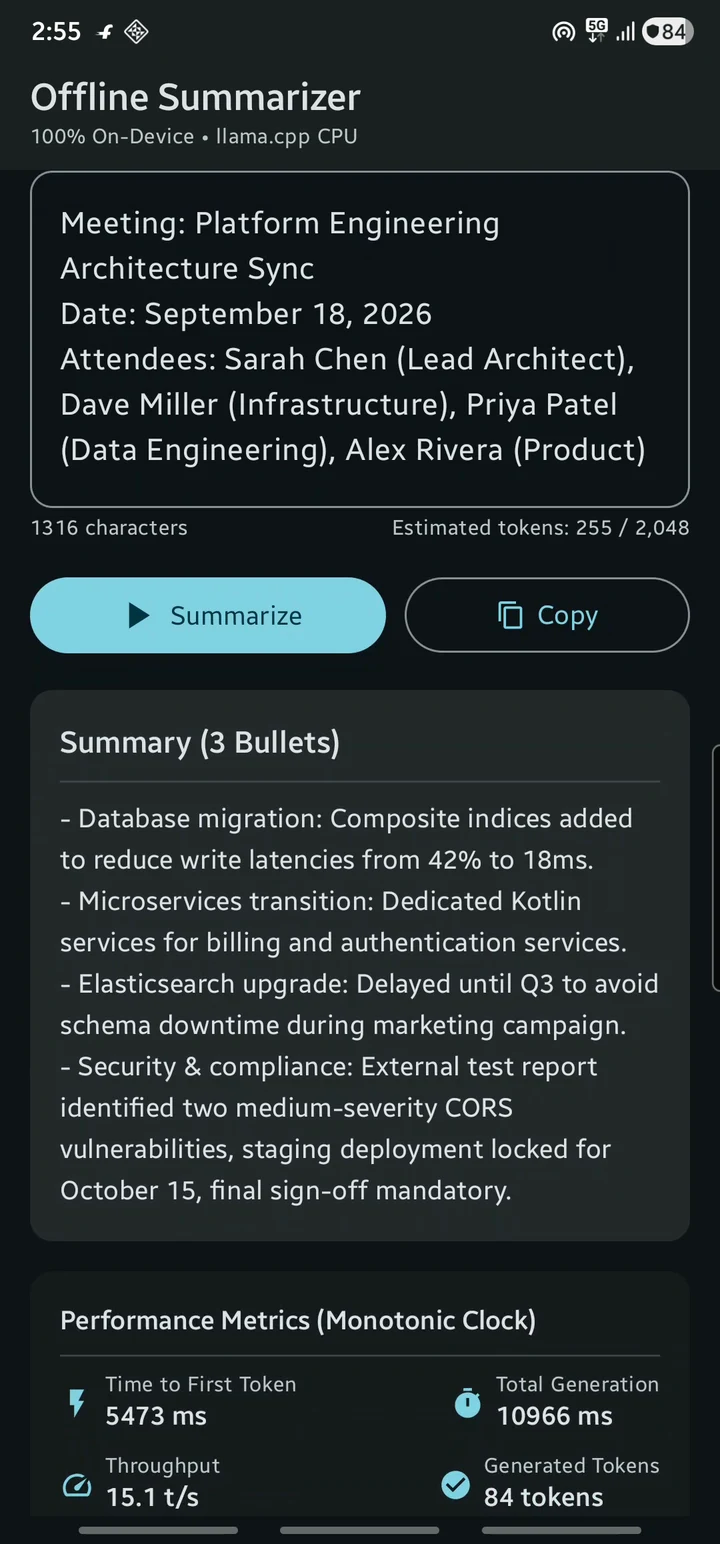
A small model won't reliably follow formatting instructions. If the format matters, check the output in code and retry or fall back when it's wrong. And don't promise "3 bullets" in the UI unless you enforce it.
Key details were dropped
The product-description summary kept the inverter and port specs but left out the battery capacity and weight, which many buyers care about most. One initial run also repeated itself.
These come from a handful of runs, so I can't give an accuracy percentage. They're enough to show that you need task-specific checks before trusting the output.
How to benchmark your own Android build
If you run a similar experiment, record more than the model name and a tokens/s figure:
- Record the exact setup: model file and quantization, llama.cpp version, build type, thread count, context size, output limit, and sampling settings. Keep them identical across runs.
- Time each stage separately: model load, time to first output, generation time, and full tap-to-result latency.
- Use fixed test inputs. Start with my sample passages, then add real examples from your users. Save every output, including failed runs.
- Define "warm" and "cold." Note whether the app or model was reloaded between runs.
- Check quality as well as speed: factual errors, missing details, repetition, and whether the model followed instructions. Also watch heat, memory, and battery over longer sessions.
What I'd fix before shipping
- Quality checks: automatically verify names, deadlines, numbers, task status, and bullet count against the source text.
- Better measurements: count real native tokens, measure tap-to-result latency, and fix the sampling mismatch.
- Resource usage: measure peak memory, battery drain, and sustained heat, on more than one phone.
- Reliability: remove debug logging of prompt text, validate imported model files more strictly, and stress-test cancellation.
The basics already work: stop and retry, keeping state across screen rotation, and finding the imported model again after a restart.
FAQ
Does an offline llama.cpp app need internet access?
No. The app has no INTERNET permission, and inference runs entirely on the phone. You only need a connection once, to download the GGUF model file.
How fast is llama.cpp on Android?
On a Galaxy S22 Ultra with Qwen2.5 0.5B (Q4_K_M) on four CPU threads, I saw about 38 tokens/s, with the first output after roughly 3.8 seconds and a full summary in about 7.8 seconds. Other phones, models, and settings will differ.
Can it summarize long documents?
Not yet. Input must fit in a 2,048-token context window along with the prompts and output. Longer text is rejected, not truncated. Supporting long documents would need chunking.
Is a 0.5B model good enough for summaries?
It works for a prototype where a person reads the summary. It's not reliable enough to extract deadlines or commitments automatically: it changed a planned task into a completed one and often ignored the requested format.
Related reading
- MediaPipe vs llama.cpp vs ExecuTorch: running AI models on Android
- On-device LLM processing on Android with Gemma 2B
- Building an intelligent Android automation bot
I'm Meet Prajapati, a Lead Mobile Engineer working on Android and on-device AI. If you're thinking about adding offline AI to your app, get in touch.