TokenBar: A macOS Usage Tracker for Claude Code and OpenAI Codex
TokenBar is a lightweight macOS menu bar app that helps you track Claude Code and OpenAI Codex rate limits, quotas, and token usage locally, with no telemetry.
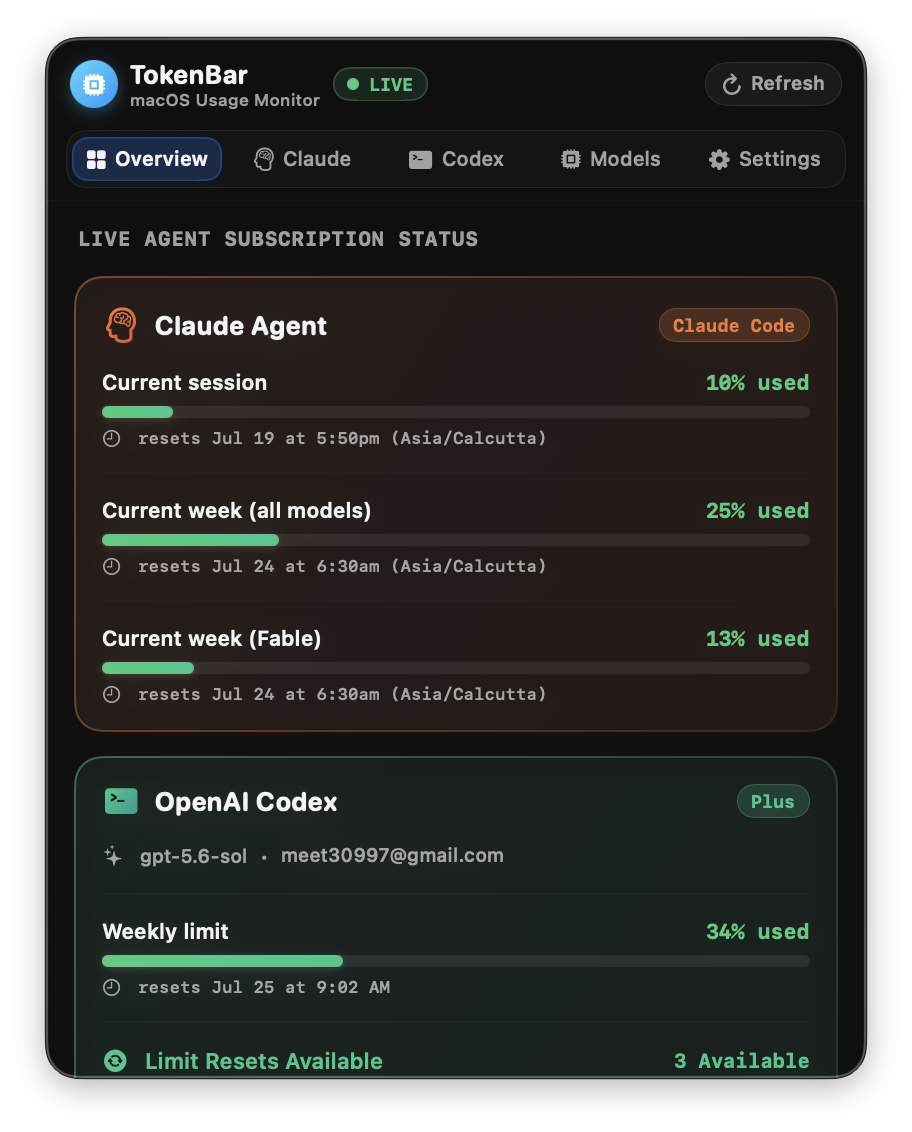
I built TokenBar because I was tired of switching to the terminal just to check my Claude Code or Codex usage.
TokenBar is a native macOS menu bar app that keeps your Claude Code and OpenAI Codex rate limits, quotas, and token usage within easy reach.
Instead of running another command or waiting for a rate-limit error, you can check everything from the menu bar.
Get TokenBar
TokenBar is free and open source.
Why I Built TokenBar
I regularly use Claude Code and the Codex CLI together.
Both tools provide useful usage information, but checking it interrupts the work. I had to open a terminal, run a command, and then repeat the process for the other tool.
I wanted one small app that could answer a few simple questions:
- How much of my current limit have I used?
- When does the limit reset?
- Which models are using the most tokens?
- How has my usage changed over the past two weeks?
That became TokenBar.
It runs quietly in the macOS menu bar and keeps the latest numbers one click away.
What Is TokenBar?
TokenBar is a native SwiftUI menu bar app built with MenuBarExtra for macOS 13 and later.
It gives you a single place to:
- Check current session and weekly rate limits
- See when each usage window resets
- Compare Claude Code and Codex usage
- Review up to 14 days of token history
- View input, output, and cache token usage by model
It is designed for developers who want a simple Claude Code usage tracker and Codex rate-limit monitor without adding another web service or account.
How TokenBar Works
TokenBar reads data already stored by the Claude Code and Codex command-line tools.
It does not require a separate backend, cloud database, or TokenBar account.
Claude Code Usage
For live Claude Code usage, TokenBar runs:
claude -p /usage --output-format json
This provides current session and weekly usage percentages.
TokenBar also reads:
~/.claude/stats-cache.json
This local file contains historical message counts and token statistics for the models you have used.
OpenAI Codex Usage
For Codex, TokenBar communicates with:
codex app-server --stdio
It uses JSON-RPC to read live rate-limit windows.
When that data is unavailable, TokenBar can fall back to local Codex session files stored in:
~/.codex/sessions/*.jsonl
It also reads local Codex data from:
~/.codex/auth.json
~/.codex/state_5.sqlite
These files are used to display account information and recent model-token history.
Claude Code and Codex Details
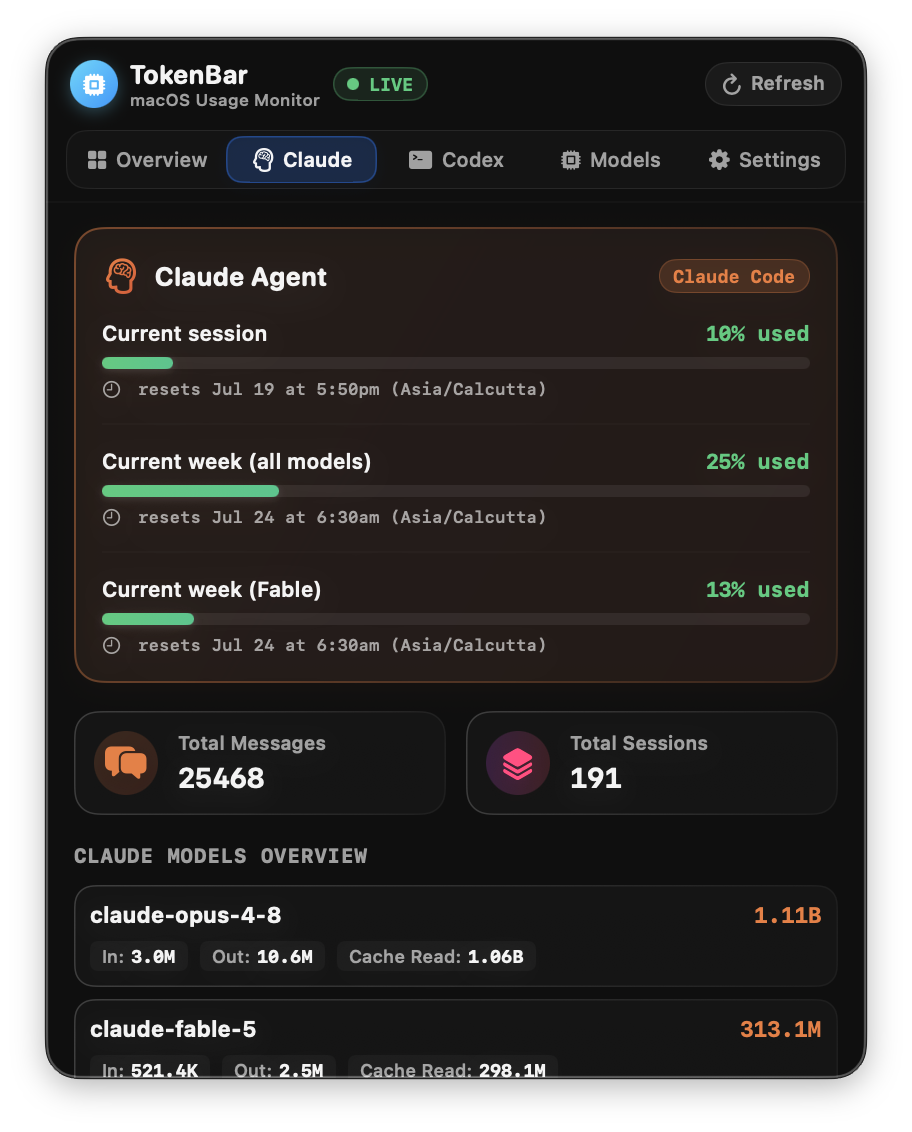
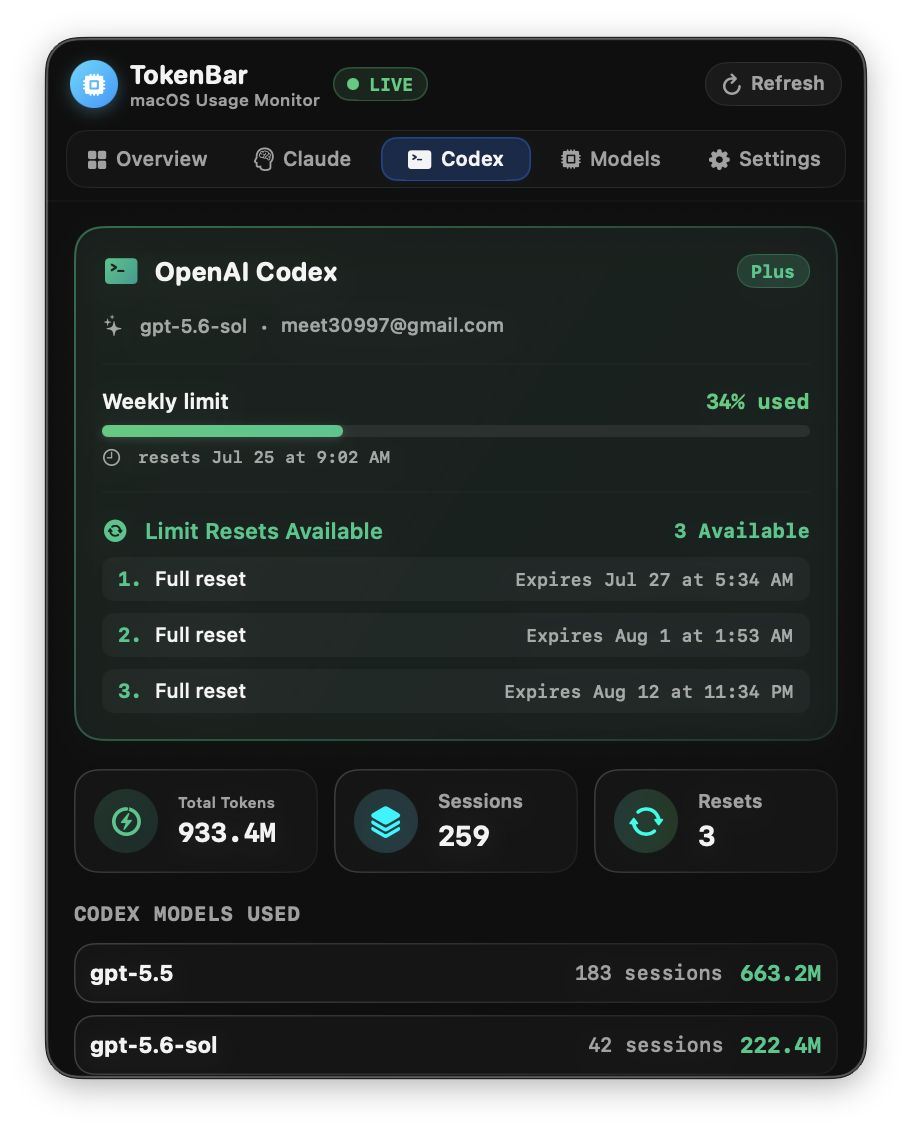
Claude Code and Codex each have a dedicated tab.
The detail views show current usage percentages, weekly quotas, and reset countdowns without requiring you to open the terminal.
Token Usage by Model
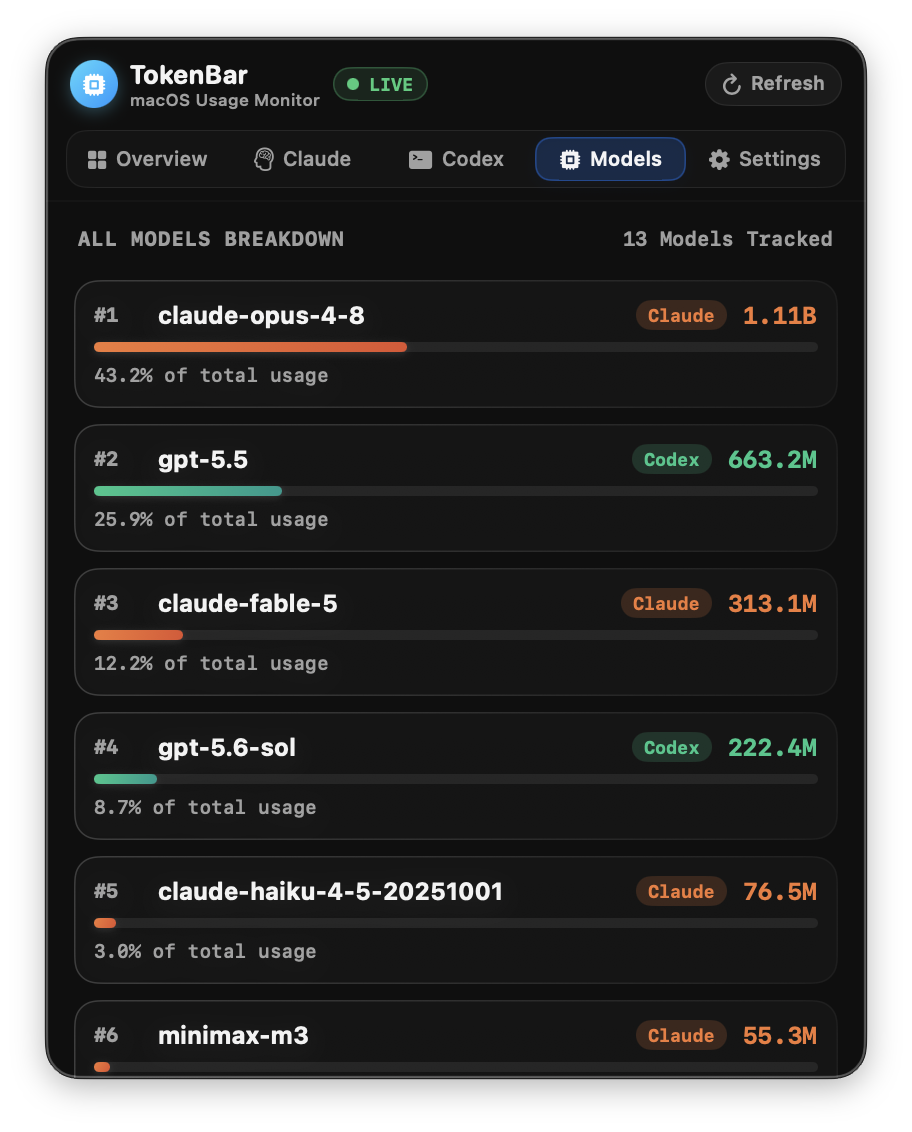
TokenBar also shows how your token usage is split across the models you have used.
For each model, you can review:
- Input tokens
- Output tokens
- Cache-read tokens
- Cache-write tokens, when available
This makes it easier to understand where your usage is going instead of looking at one combined total.
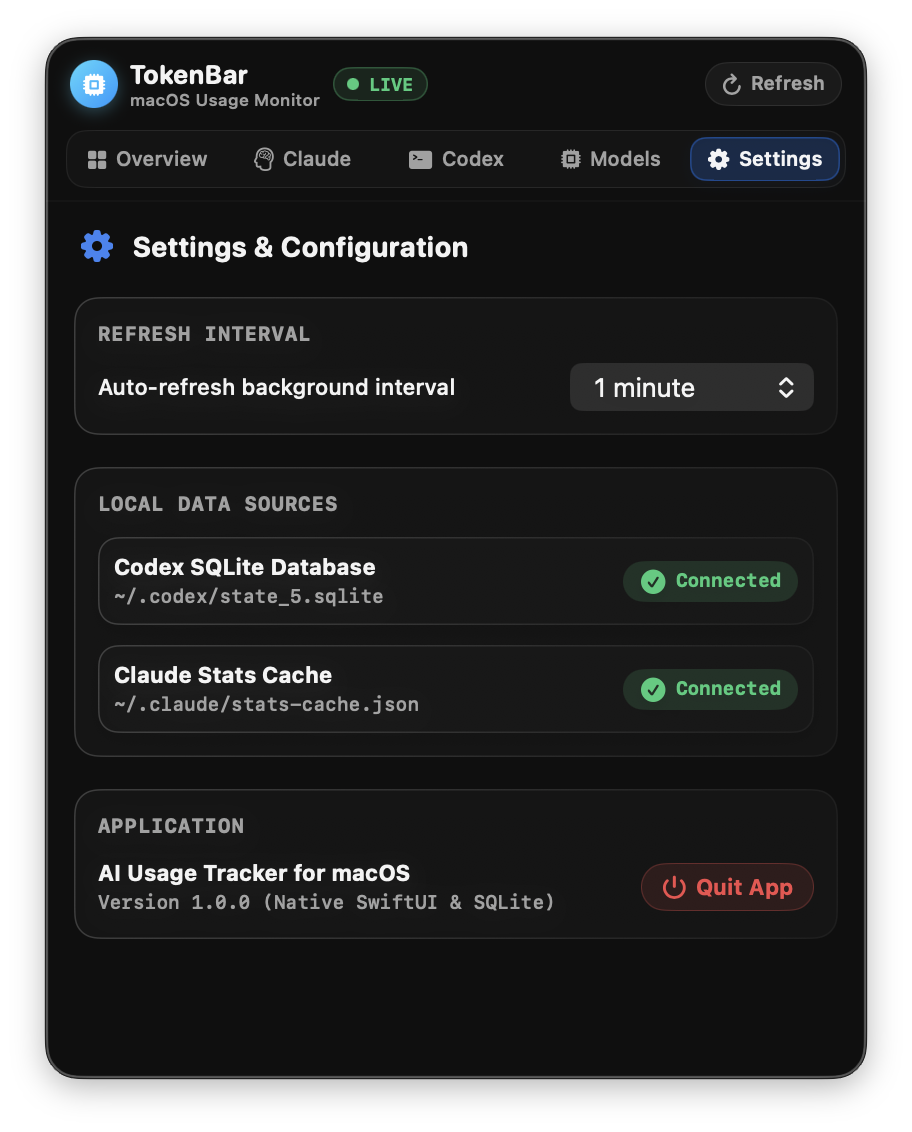
Settings and Customization
TokenBar includes a settings screen where you can control how the app behaves.
You can:
- Choose which provider tabs are visible
- Refresh usage manually
- Automatically refresh every 1, 5, or 15 minutes
- Adjust available display options
Privacy and Local Data
TokenBar is designed to work locally.
It reads information from the command-line tools and files already stored on your Mac. There is no TokenBar backend, remote tracking service, or built-in telemetry.
Your usage data stays on your device.
As with any open-source developer tool, you can also review the code before building or running it.
Why TokenBar Is Useful
One place for both tools
You can check Claude Code and Codex without switching between separate commands or windows.
No extra account
TokenBar uses your existing local CLI setup. You do not need to create another account or connect to a third-party dashboard.
Native macOS experience
The app is built with SwiftUI rather than Electron, so it feels at home in the macOS menu bar.
Flexible refresh options
You can refresh the data manually or let TokenBar update it automatically in the background.
Open-source and private
The source code is public, and your usage information remains on your Mac.
Build and Install TokenBar
TokenBar can currently be built from source.
First, clone the repository:
git clone https://github.com/meet30997/ai_usage_widget.git
cd ai_usage_widget
Run the test suite:
swift test
Build the release app:
./build_app.sh
Open the generated app bundle:
open "build/AI Usage Tracker.app"
To install it for regular use, move build/AI Usage Tracker.app into your /Applications folder.
Final Thoughts
TokenBar started as a small tool to solve a problem I kept running into during normal development work.
If you use Claude Code, OpenAI Codex, or both, it gives you a quick way to check your limits and understand your token usage without leaving the macOS menu bar.
TokenBar is free, open source, and built to keep your data local.
View the source code and installation instructions on GitHub.