On-Device Speech-to-Text on Android: Parakeet and NeMo Benchmarks
Run NVIDIA Parakeet speech recognition offline on an Android CPU with NeMo-Speech.cpp and Kotlin: Pixel 8a benchmarks, the build flag that cut inference time 46%, and why live captions lag.
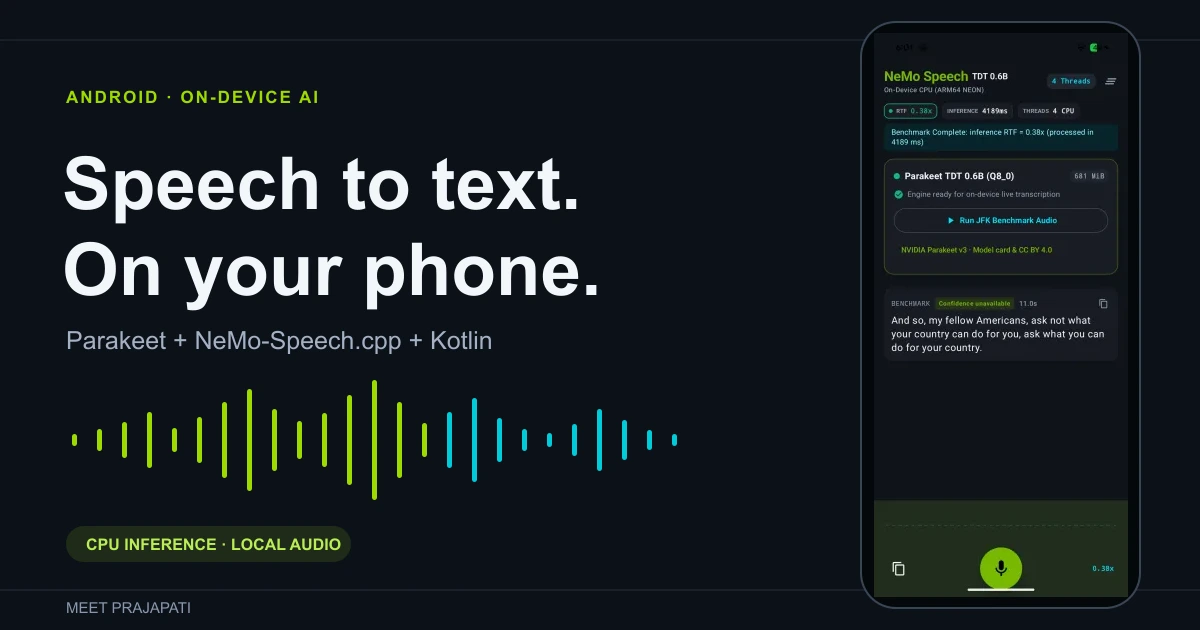
I built an Android app that transcribes speech on the phone using NVIDIA's Parakeet TDT 0.6B v3 model and NeMo-Speech.cpp, with Kotlin and Jetpack Compose for the UI. Everything runs on the CPU, and after the model is downloaded once, no network is needed.
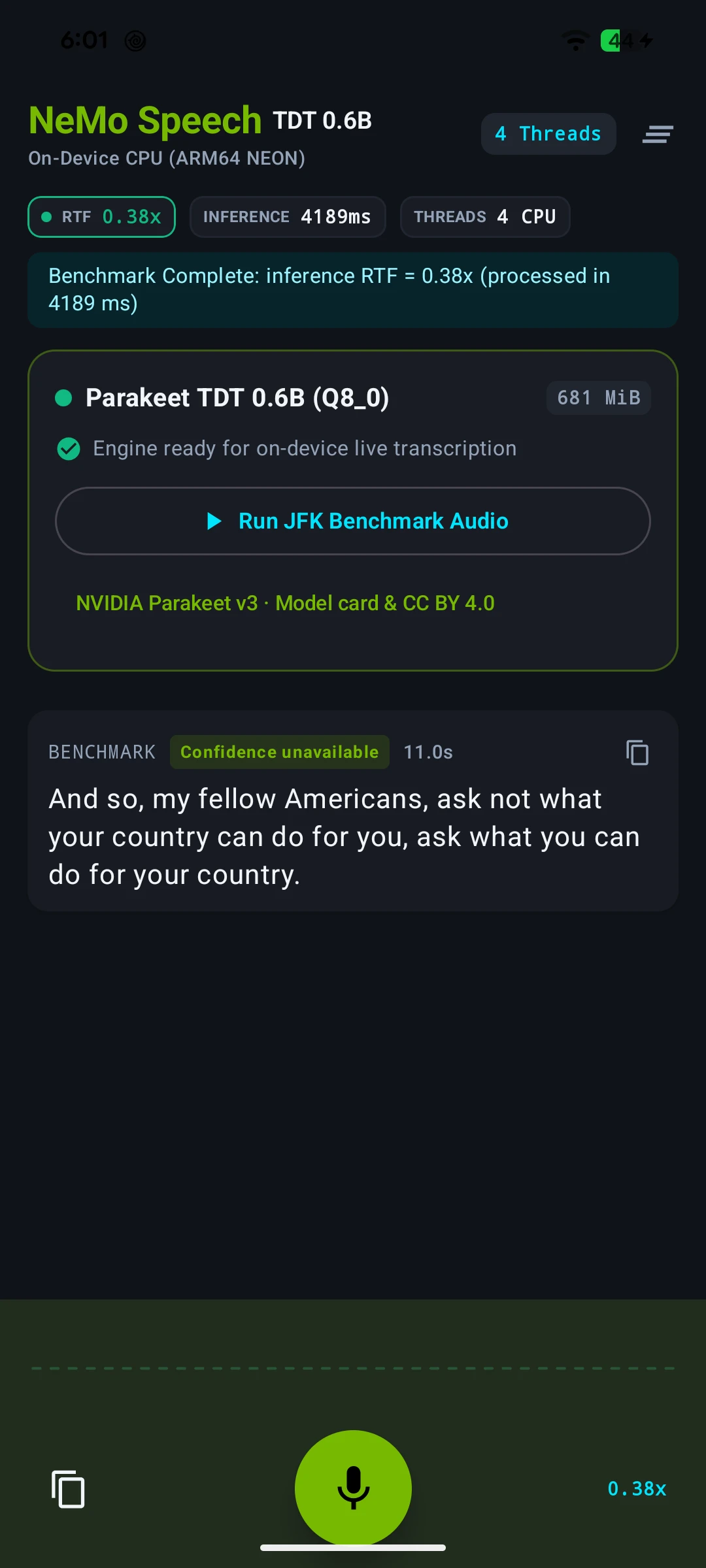
On a Pixel 8a it transcribes an 11-second clip in about 3.5 seconds. Getting there took one build flag that I almost missed. Live captions were a different story, and most of this post is about why.
The app
The app downloads NVIDIA's 714 MB GGUF model on first launch, or you can import the file yourself. After that you can tap the mic and talk, or tap "Run JFK Benchmark Audio" to transcribe a bundled 11-second clip of Kennedy's "ask not" line. I used that clip for all the tests below.
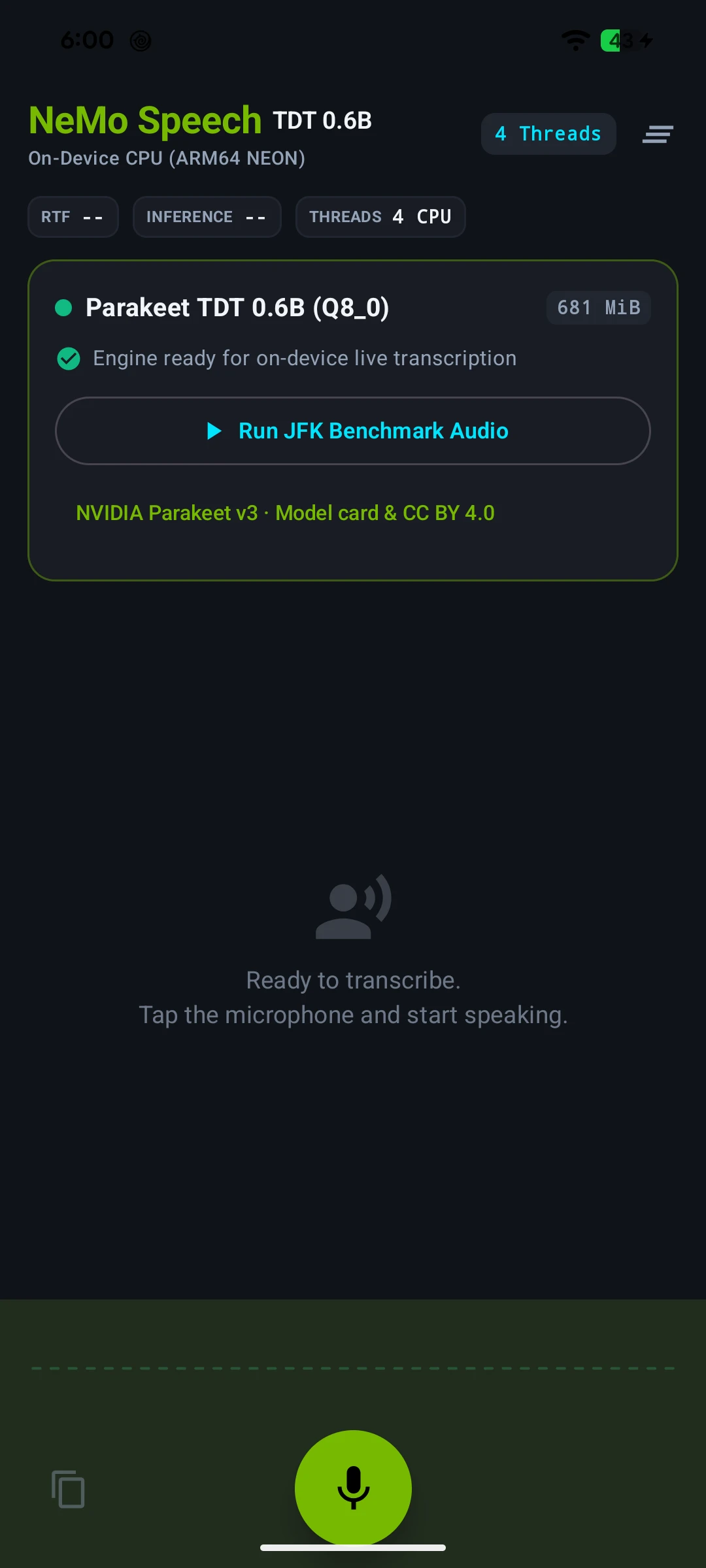
Parakeet TDT 0.6B v3 is a 600M-parameter speech recognition model, and NVIDIA publishes a Q8_0 GGUF build for NeMo-Speech.cpp. The runtime sits on ggml, the same tensor library llama.cpp uses, so if you've worked with llama.cpp on Android, the build will feel familiar.
One thing to know up front: this model doesn't stream. It transcribes a complete chunk of audio per call. The preview text you see while speaking is the model re-run on the audio captured so far.
How audio reaches the model
AudioRecord (16 kHz mono, 32 ms frames)
  → capture queue
  → energy-based speech segmenter
  → final queue + one preview slot
  → single inference thread
  → JNI → NeMo-Speech.cpp → ggml (CPU)
  → Compose UI
The microphone is read on its own thread, so a slow model call never blocks capture. The segmenter watches loudness. It ends a segment after 400 ms of silence and forces a split at 8 seconds if nobody pauses. Each segment gets up to two previews, at 0.64 and 1.92 seconds of audio, plus one final transcription.
All model calls go through a single thread. That keeps native memory safe, because a recognizer can't be freed while it's still running. It also matters a lot for the live results later.
Test setup
| Setting | Value |
|---|---|
| Phone | Google Pixel 8a, Android 17 |
| Chipset | Tensor G3 (1× Cortex-X3, 4× A715, 4× A510) |
| Model | Parakeet TDT 0.6B v3, Q8_0 GGUF |
| Inference | CPU only, native code built with -O3 |
| Audio | 11-second JFK clip, 16 kHz mono |
The phone was plugged in with the screen on, and I left 45 seconds between test runs.
The build flag that made it 46% faster
My first numbers on the Pixel were 4.6 to 6.3 seconds for the 11-second clip. Fine, but slower than an earlier test on a Galaxy S22 Ultra. Then I noticed the two builds weren't the same. The project compiles ggml for plain armv8-a by default, so it runs on any 64-bit ARM phone. The S22 test had used a build with dot-product instructions turned on.
The Pixel 8a supports more than that. Its /proc/cpuinfo lists asimddp (dot product), asimdhp (FP16) and i8mm (int8 matrix multiply), and all three help with quantized Q8_0 math. So I built three versions:
./gradlew :app:assembleDebug                                          # portable
./gradlew :app:assembleDebug -PcpuArch=armv8.2-a+dotprod+fp16         # dotprod
./gradlew :app:assembleDebug -PcpuArch=armv8.2-a+dotprod+fp16+i8mm    # i8mm
To make sure the flags actually changed the code, I disassembled libggml-cpu.so from each APK. The portable build has no sdot instructions, the dotprod build has 1,139, and the i8mm build adds 260 smmla instructions on top.
Each build transcribed the clip 10 times on four threads, over two rounds, with the build order reversed in the second round:
| CPU build | Median | Fastest | Slowest | Real-time factor |
|---|---|---|---|---|
Portable armv8-a |
6,490 ms | 5,111 ms | 16,565 ms | 0.59 |
+dotprod+fp16 |
4,134 ms | 3,474 ms | 12,411 ms | 0.38 |
+dotprod+fp16+i8mm |
3,500 ms | 2,909 ms | 4,130 ms | 0.32 |
Real-time factor is processing time divided by audio length, so 0.32 means 11 seconds of audio took about 3.5 seconds.
The i8mm build was 46% faster than the default, and it was also the most consistent. Three of the portable build's runs took over 12 seconds, while the i8mm build never went past 4.2. Every one of the 80 runs, across all builds and thread counts, produced the exact same transcript.
The raw data is here: complete-file runs (CSV), live-replay runs (CSV), and setup notes.
More threads didn't help
| Threads | Portable | dotprod | i8mm |
|---|---|---|---|
| 2 | 7,105 ms | 6,122 ms | 6,989 ms |
| 4 | 6,490 ms | 4,134 ms | 3,500 ms |
| 6 | 9,058 ms | 6,755 ms | 5,758 ms |
| 8 | 9,260 ms | 7,278 ms | 6,773 ms |
Four threads was fastest on every build. The Tensor G3 has five fast cores and four small ones, so I suspect six and eight threads end up on the small cores and hold everything else back. I didn't pin threads to cores to confirm it. Either way, matching the thread count to the core count would have been the wrong call on this phone.
Why live captions lag
If 11 seconds of audio takes 3.5 seconds to transcribe, live captions should keep up easily. They didn't.
To test the live path without a microphone, I fed the same clip through the app's real pipeline at normal playback speed. The transcript was correct every time, but the delay between the end of speech and the final text was all over the place:
| Build (4 threads) | Replays | Final text after speech ended |
|---|---|---|
| Portable | 4 | 2.3 to 16.4 s |
| dotprod | 4 | 2.3 to 11.4 s |
| i8mm | 7 | 2.3 to 13.4 s, median 5.1 s |
To understand why, I ran the segmenter's logic over the clip and logged every request it sends to the model:
 0.64 s  preview   0.64 s of audio   (segment 1)
 1.92 s  preview   1.92 s of audio   (segment 1)
 8.00 s  final     8.00 s of audio   (forced split, no pause found)
 8.26 s  preview   0.64 s of audio   (segment 2)
 9.54 s  preview   1.92 s of audio   (segment 2)
11.00 s  final     3.38 s of audio   (end of clip)
For 11 seconds of speech, the model is asked to process 16.5 seconds of audio. The bigger problem is the 8-second final. The segmenter never finds a 400 ms pause in this clip, so the first segment runs until the forced split. Transcribing it takes about 2.5 seconds even on the fastest build, and since there's only one inference thread, everything after it waits. Finals do jump ahead of previews in the queue, but they can't interrupt a call that's already running.
On top of that, occasional slow runs, like the 12–16 second outliers above, hurt more in live mode, because every queued request waits behind them. In two replays the last model call ran slower than real time.
I also tried three threads in live mode. Finals came in after 1.1, 1.7 and 4.5 seconds, compared with 2.3, 5.1 and 13.2 seconds on four threads in the same session. My guess is that leaving a core free for capture and the UI helps, but three replays isn't enough to call it.
All of this is from one phone and one short English clip, with no real microphone and no noise. It tells you about speed on this device, not about accuracy in general.
Try it yourself
The full source is on GitHub: meet30997/parakeet-android-on-device-speech-recognition.
git clone --recurse-submodules https://github.com/meet30997/parakeet-android-on-device-speech-recognition.git
cd parakeet-android-on-device-speech-recognition
./gradlew :app:assembleDebug
adb install -r app/build/outputs/apk/debug/app-debug.apk
You need JDK 17, Android SDK 36, NDK 27.1 and CMake 3.31. The APK is ARM64 only.
If your phone supports the newer instructions, add -PcpuArch=armv8.2-a+dotprod+fp16+i8mm to the build command. Don't ship that build to everyone, though. On a CPU without those instructions, the app crashes as soon as it runs the model.
What I'd do next
The obvious next step is choosing the CPU build at runtime. The ggml version in this project can compile several Android CPU variants and load the best one for each phone, using GGML_CPU_ALL_VARIANTS with GGML_BACKEND_DL. That would give every phone the fastest build it supports without crashing older ones. I haven't tried it yet, and dynamic loading comes with a packaging catch I ran into with llama.cpp.
For live captions, I'd skip previews while the model is busy and use shorter forced splits, so one long segment can't hold up the queue. A model that actually streams would solve the problem properly. After that, the testing needs to cover a real microphone in a noisy room, more phones, and memory and battery use.
FAQ
Can Android transcribe speech offline?
Yes. After a one-time 714 MB model download, this app transcribes entirely on the phone's CPU. On a Pixel 8a, an 11-second clip took about 3.5 seconds.
Is Parakeet fast enough for live captions on Android?
The model is fast enough. The way this app schedules work around it isn't yet. Final text arrived 1 to 16 seconds after speech ended, because previews and long segments queue up behind a single inference thread.
Does Parakeet TDT 0.6B v3 support streaming?
Not in this setup. It transcribes complete chunks of audio, and the live preview comes from re-running it on the audio so far.
How many CPU threads should I use?
Test on your target phones. On the Pixel 8a, four threads beat two, six, and eight.
Related reading
- llama.cpp on Android: offline AI summarizer benchmarks
- MediaPipe vs llama.cpp vs ExecuTorch: running AI models on Android
- On-device LLM processing on Android with Gemma 2B
I'm Meet Prajapati, a Lead Mobile Engineer working on Android and on-device AI. If you're adding offline speech or AI to your app, get in touch.