Things I've built

Small tools I built to fix problems in my own work, from keeping tabs on coding agents on macOS to capturing website screenshots from code. Each one is free and open source under MIT.

CliHanger app icon

CliHanger

v0.2.0 · MIT · macOS 12+ · Apple Silicon · tmux 3.2+

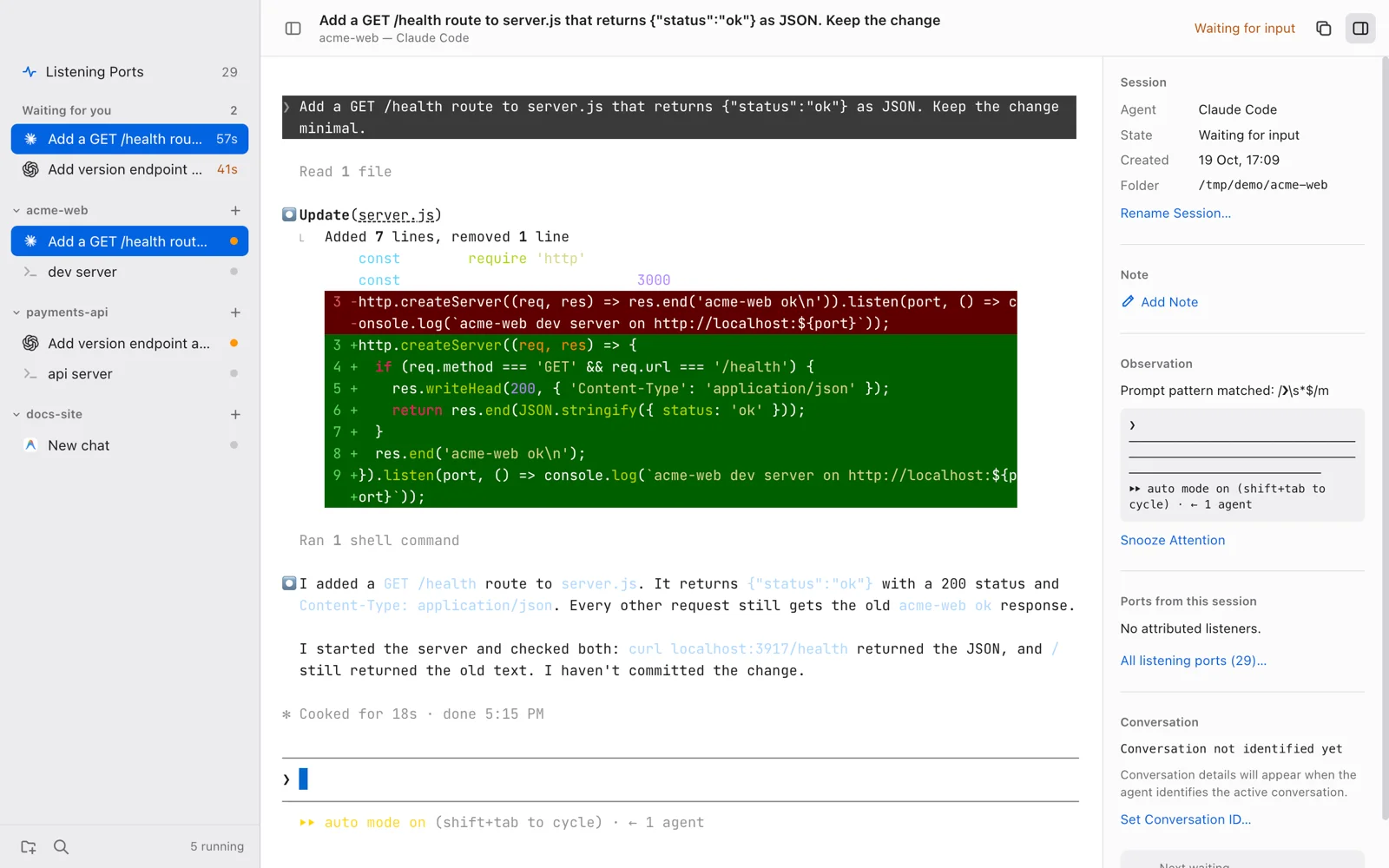
One window for all your coding-agent CLIs.

Run Claude Code, Codex, and Antigravity side by side, grouped by project. CliHanger shows which agent is waiting on you, and which forgotten session owns port 3000.

  • A “Waiting for you” queue for agents stopped on a prompt or approval, with native notifications and ⇧⌘J to jump to the oldest.
  • A ports panel that traces each listening port back to the session that started it, with a Stop button.
  • Sessions run in tmux, so they survive reloads and you can attach from Terminal.app at any time.
  • A ⌘P quick switcher, and agents defined as data in ~/.hangar/agents.json.
Works with
Claude CodeCodex CLIAntigravityzsh / bash / fish
Built with
Electronxterm.jsnode-ptytmux
CliHanger with Claude Code and Codex sessions grouped by project, two agents in the Waiting for you queue, and Claude's finished diff in the terminal

TokenBar

v1.5.0 · MIT · macOS 13+

Your AI coding limits, one click away in the menu bar.

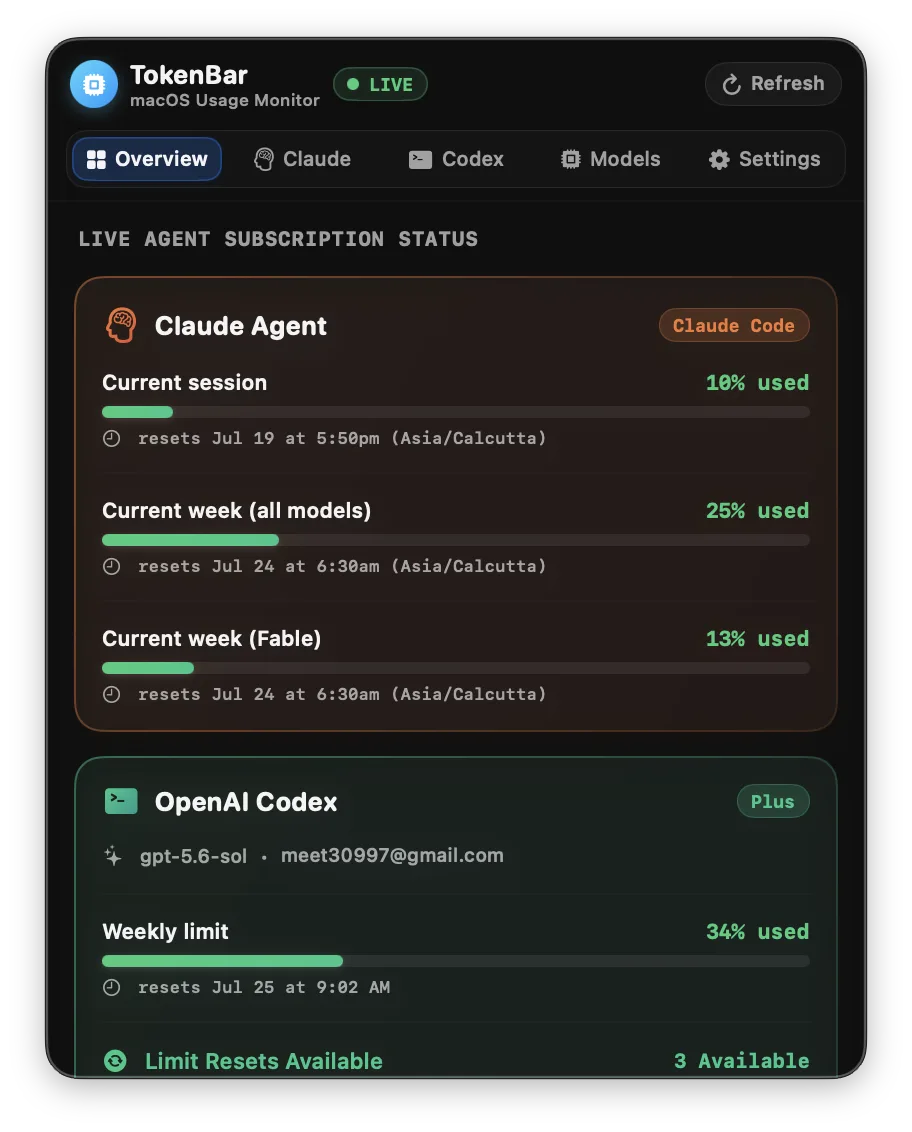
A native macOS menu bar app that shows live rate limits, weekly quotas, and reset times for Claude Code, Codex, and Antigravity, plus 14 days of token history. It reads local CLI state, so nothing leaves your Mac.

  • Live session and weekly limits for each tool, with reset countdowns.
  • A stacked 14-day token chart comparing Claude Code, Codex, and Antigravity.
  • Per-model token totals for every model seen on your machine.
  • Today's token total in the menu bar, with auto-refresh every 1 to 30 minutes.
Works with
Claude CodeOpenAI CodexGoogle Antigravity
Built with
SwiftSwiftUISQLite
TokenBar menu bar window showing Claude Code session and weekly usage and the OpenAI Codex weekly limit

Webshotio

v1.0.0 · MIT · Node.js 18+

Turn any public URL into a PNG with one API call.

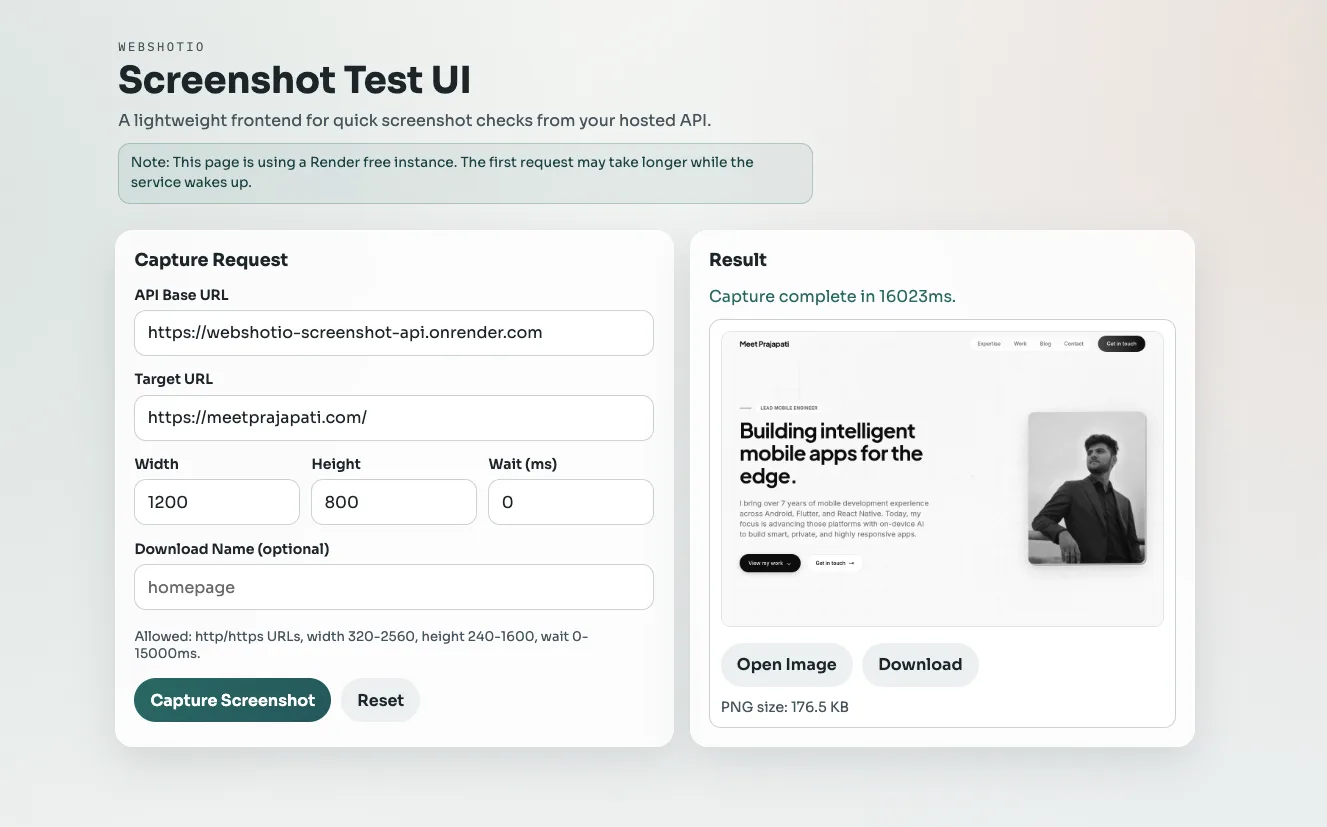
A self-hostable screenshot API built on Node.js, Express, and Puppeteer. Pass a URL, plus an optional viewport size and wait time, and get a PNG back. It ships with the guardrails a public endpoint needs.

  • One endpoint, GET /screenshot, with width, height, wait time, and an optional download filename.
  • Reuses a warm Chromium instance, with a bounded queue so traffic spikes don't overload it.
  • Blocks localhost, internal hostnames, and private IP ranges to prevent SSRF.
  • Per-IP rate limiting, health and readiness endpoints, and graceful shutdown for PM2 or systemd.
Good for
Link previewsQA snapshotsDashboardsAutomation
Built with
Node.jsExpressPuppeteer
Webshotio test page with a capture request form and the resulting PNG screenshot of meetprajapati.com